Private Windows RDP vs. VPS: Which One Offers Better Performance?
In the ever-evolving landscape of remote computing, two prominent solutions often come into consideration: Private Windows RDP (Remote Desktop Protocol) and Virtual Private Servers (VPS). Both serve distinct purposes and cater to different user needs. Understanding their differences, especially in terms of performance, is crucial for making an informed decision.
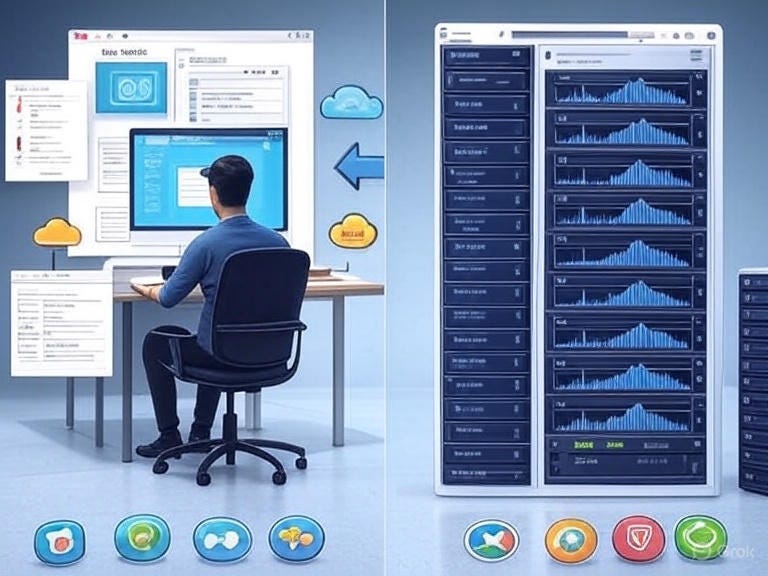
Understanding the Basics
What is Private Windows RDP?
Private Windows RDP refers to a dedicated remote desktop environment running on a Windows operating system. Users can access this environment remotely, experiencing a full Windows desktop interface. This setup is ideal for tasks that require a consistent and secure Windows environment without the need for physical hardware.
What is a VPS?
A Virtual Private Server (VPS) is a virtualized server that mimics a dedicated physical server within a shared hosting environment. It operates its own copy of an operating system and provides users with superuser-level access to install almost any software that runs on that OS. VPS hosting is commonly used for hosting websites, applications, and databases.
Performance Comparison
Resource Allocation
- Private Windows RDP: Typically, RDP sessions are allocated a fixed amount of resources. The performance can be influenced by the number of concurrent users and the tasks they perform.
- VPS: Offers dedicated resources such as CPU, RAM, and storage. This isolation ensures that the performance of one VPS is not affected by others on the same physical server. (MonoVM.com)
Scalability
- Private Windows RDP: Scaling an RDP environment often involves upgrading the underlying hardware or moving to a more powerful server.(Oudel Inc.)
- VPS: Provides greater scalability options. Users can adjust resources like CPU, RAM, and storage based on their needs, often without significant downtime.
Performance Consistency
- Private Windows RDP: Performance can vary depending on the host machine’s capabilities and the number of users accessing it simultaneously.(MonoVM.com)
- VPS: Ensures more consistent performance due to dedicated resources and isolation from other virtual servers. (MonoVM.com)
Security Considerations
Isolation
- Private Windows RDP: While RDP sessions are isolated, they share the underlying host’s resources. If the host is compromised, all RDP sessions could be at risk.
- VPS: Each VPS operates independently with its own operating system and security settings, reducing the risk of unauthorized access or data breaches. (MonoVM.com)
Control Over Security Settings
- Private Windows RDP: Users have limited control over the host’s security configurations.
- VPS: Provides full control over security settings, allowing users to implement custom firewalls, intrusion detection systems, and other security measures.
Cost Analysis
Initial Setup Costs
- Private Windows RDP: Often comes with a higher initial setup cost due to the need for dedicated hardware and licensing fees.
- VPS: Generally more cost-effective, especially for small to medium-sized businesses, as it shares the underlying physical hardware with other VPS instances.
Operational Costs
- Private Windows RDP: May incur higher operational costs due to maintenance, electricity, and other overheads associated with dedicated hardware.(Oudel Inc.)
- VPS: Lower operational costs as the hosting provider manages the physical hardware and infrastructure. (bodHOST)
Use Cases
Ideal Scenarios for Private Windows RDP
- Remote Work: Employees needing access to a consistent Windows environment for tasks like software development or administrative duties.(Nest Nepal)
- IT Support: Technicians requiring remote access to troubleshoot and resolve issues on Windows-based systems.
- Secure Access: Organizations needing a secure and isolated environment for sensitive tasks.
Ideal Scenarios for VPS
- Web Hosting: Hosting websites and applications that require dedicated resources and scalability.(Liquid Web)
- Database Management: Running databases that need consistent performance and isolation.(MonoVM.com)
- Development and Testing: Creating and testing applications in a controlled environment.(Serverspace)
Conclusion
Both Private Windows RDP and VPS offer unique advantages depending on the specific needs of the user. For tasks requiring a dedicated Windows environment with full control over security settings and performance, a VPS is often the better choice. However, for users needing remote access to a Windows desktop environment without the complexities of managing a server, Private Windows RDP provides a straightforward solution.
For more information on choosing the right solution for your remote access needs, visit 99rdp.(99RDP)

.png)

Comments
Post a Comment